
Getting Started
WARNING
This project is inherently against the game's TOS.
Use at your own risk, and please share names and links in a responsible manner, so as to minimize attention from the developers.
Existing Hachimi user? You will need to change to Hachimi Edge due to a big game update on 2025/09/24 (JP) and 2025/11/11 (Global).
Language 🗣🌍
You can change language at the top right.
Please follow the whole process even if you've used Hachimi before, as Hachimi Edge has some changes.
If you run into issues, check out Troubleshooting.
Compatibility
Hachimi Edge supports Steam, DMM, and Android versions for the Japanese server, and the Steam version for the Global server.
Details
Windows
| Version | Supported |
|---|---|
| JP (DMM) | ✅ |
| JP (Steam) | ✅ |
| KR | ❌ |
| Global | ✅ |
| Emulators (any region) | ❌ |
Android
| Version | Normal install | Direct install | Zygisk |
|---|---|---|---|
| JP | ✅ | ✅ | ✅ |
| KR | ❌ | ❌ | ❌ |
| TW GP | ⚠️ | ⚠️ | ✅ |
| TW MC | ⚠️ | ⚠️ | ✅ |
| CN | ⚠️ | ⚠️ | ✅ |
| Global | ❌️ | ❌️ | ❌ |
✅ - Fully supported.
⚠️ - Technically works, but causes the game to fail due to external factors.
❔ - Untested. Might work, but don't count on it.
❌ - Not supported.
Install Guides
Hachimi Edge has an installer for both Windows and Android. They are quite different!
Please see the specific guides and continue with the rest of this page after installing.
First Time Setup
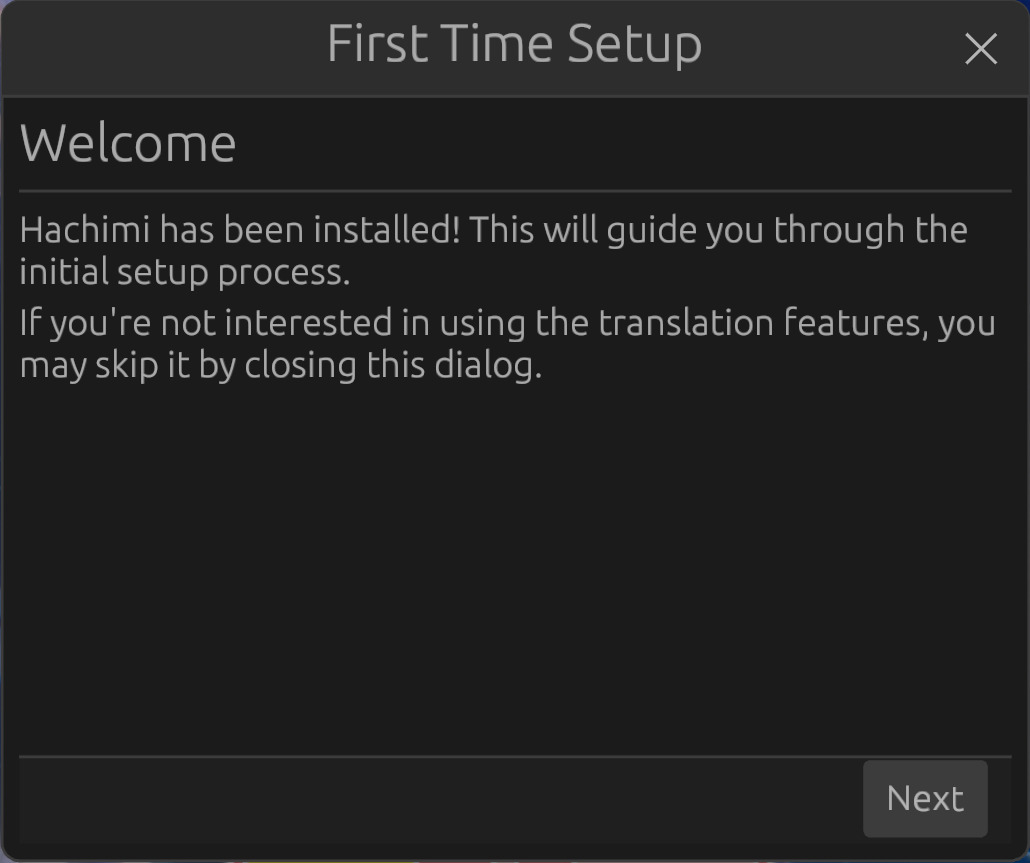
Upon launching the game for the first time after installing Hachimi Edge, you should be greeted with this dialog:
I don't see it!
If you are migrating to Edge:
You likely didn't uninstall first. This can leave outdated values in your configuration. Open this setup from the Hachimi Edge menu and make sure the Meta URL is https://gitlab.com/umatl/hachimi-meta/-/raw/main/meta.json (Unless you are knowingly using a different one). Not doing so will result in outdated translations and corrupted texture issues.
Otherwise:
Hachimi Edge was not installed correctly. Please read the install guide carefully and try again, or look at Troubleshooting.
Tap on Next and choose your preferred translation source, then tap on Done to save your configuration and start the update check.
If selected, Hachimi Edge will now prompt you to download a new translation update, click on Yes to start downloading the files.
You can return to this dialog later to change your translation source through the Hachimi menu.
TIP
If you have any issues with translations, you can disable them in Config Editor > Gameplay, then restart the game.
Using
Configuration is done using an in-game menu or through the raw config file.
Hachimi Edge also supports Plugins.